Work / Tool Prototype
VT Dashboard: a caseload tool that works without installation
VT Dashboard turns a visiting teacher's calendar, pupil records, due visits and mileage into one self-contained browser tool. It runs from a single HTML file on a locked-down laptop and keeps runtime AI out of sensitive casework.
Demonstration data. Invented data.
Double-click index.html, import the latest backup and the whole VT Dashboard is running. There is no installer, local server or cloud database behind it. That one file contains the interface for a visiting teacher’s calendar, pupil records, due visits and mileage.
The constraint drove the design. The intended laptop is locked down and the working record includes sensitive information about children. The application therefore has to work from a browser file, make its backup state obvious and keep the case record away from unnecessary services.
I built VT Dashboard with Claude Code in September 2026 as a React and TypeScript application that compiles to a single HTML file. There is no AI inside the running product. Visit rules, reports, routing inputs and mileage are ordinary, inspectable code.
At a glance
- Status: Prototype.
- Built: 9 to 29 September 2026, 25 commits.
- Platform: a self-contained browser application opened from one local HTML file.
- Stack: React 19, Vite 8, TypeScript 7, Tailwind CSS 4, Leaflet 1.9 and Vitest 4.
- Built with: Claude Code, from a product specification, design brief and running handover notes.
- AI inside the product: no. The product makes no model calls.
A working day in the tool
Text walkthrough
- Open the single
index.htmlfile and import the latest saved JSON backup. - Use the calendar to select a day and arrange school visits. The day plan shows the ordered stops, planned times and leg distances.
- Open a pupil record to see contact details, support categories, past interactions, planned visits and open actions in one place.
- Use the Due list to group overdue visits by county and school. Communications remain visible but do not count as school visits.
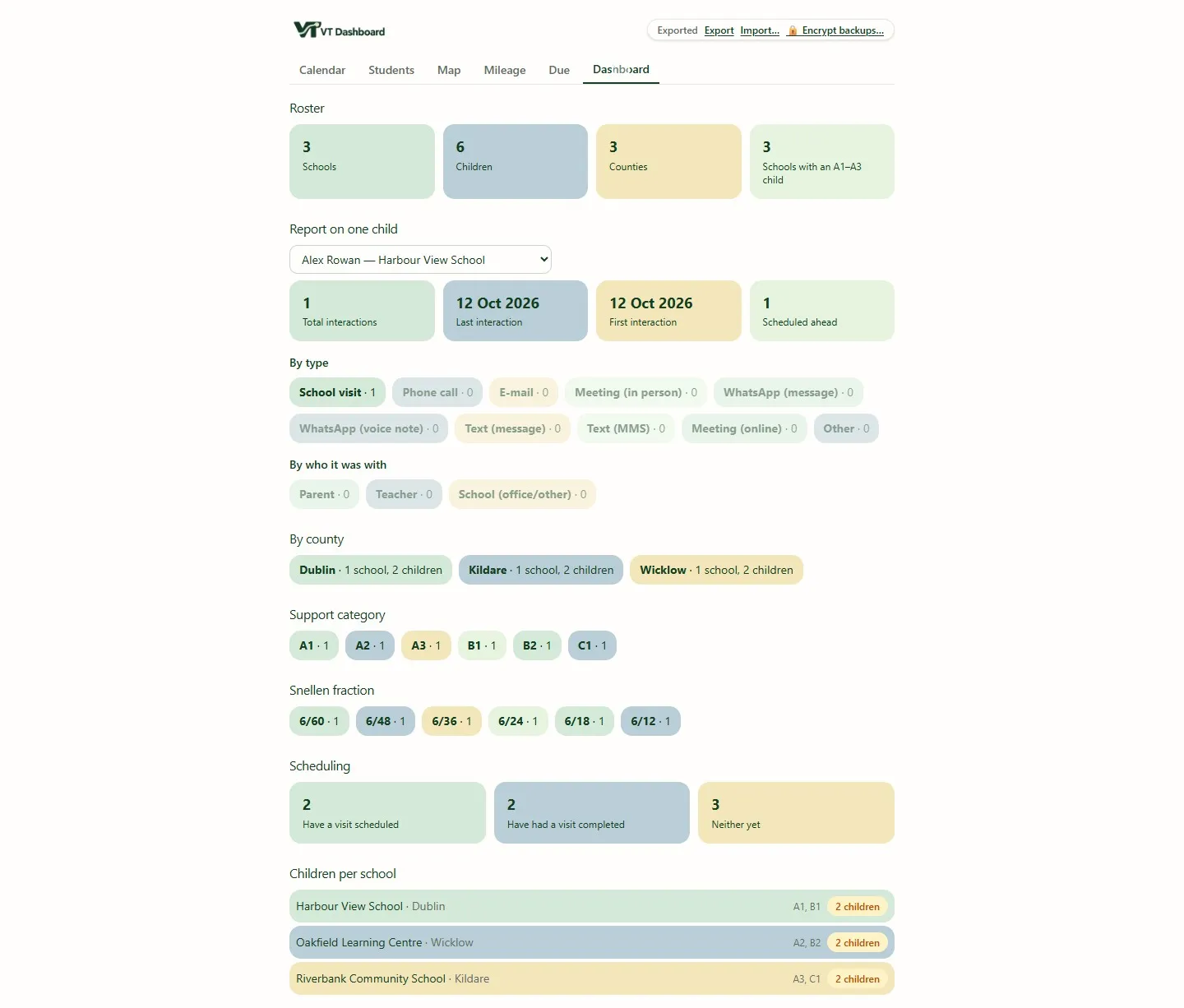
- Open Dashboard for caseload totals and a one-pupil summary of first interaction, last interaction, contact types and scheduled work.
- Use Mileage to record the day as a multi-stop trip and see both the banded reimbursement calculation and an editable fuel-cost estimate.
- Export the current record. If backup encryption is enabled, every export for that browser session is protected by the chosen passphrase.
One working day instead of six separate lists
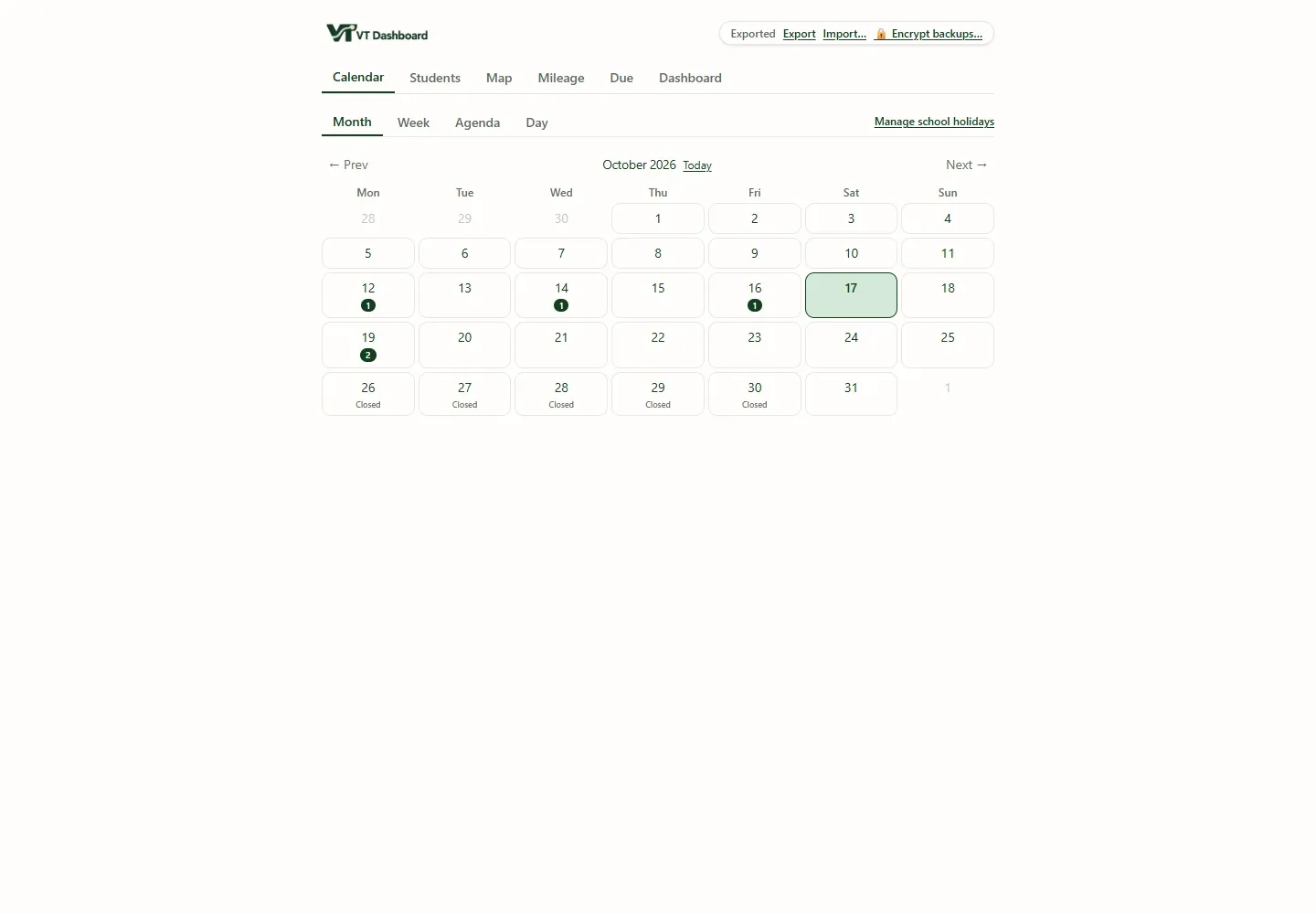
The demonstration calendar contains visits, phone calls and follow-up actions for six invented pupils across three schools. A dispersed caseload creates many views of the same work: appointments, pupils, schools, contacts, actions and journeys. The tool brings them onto one surface, so planning a day no longer means reconciling lists by hand.
The calendar is the starting surface. School visits, remote contacts and actions appear together, but they retain different meanings. A phone call is part of a pupil’s history; it is not quietly counted as a school visit just because both happened on the same date.
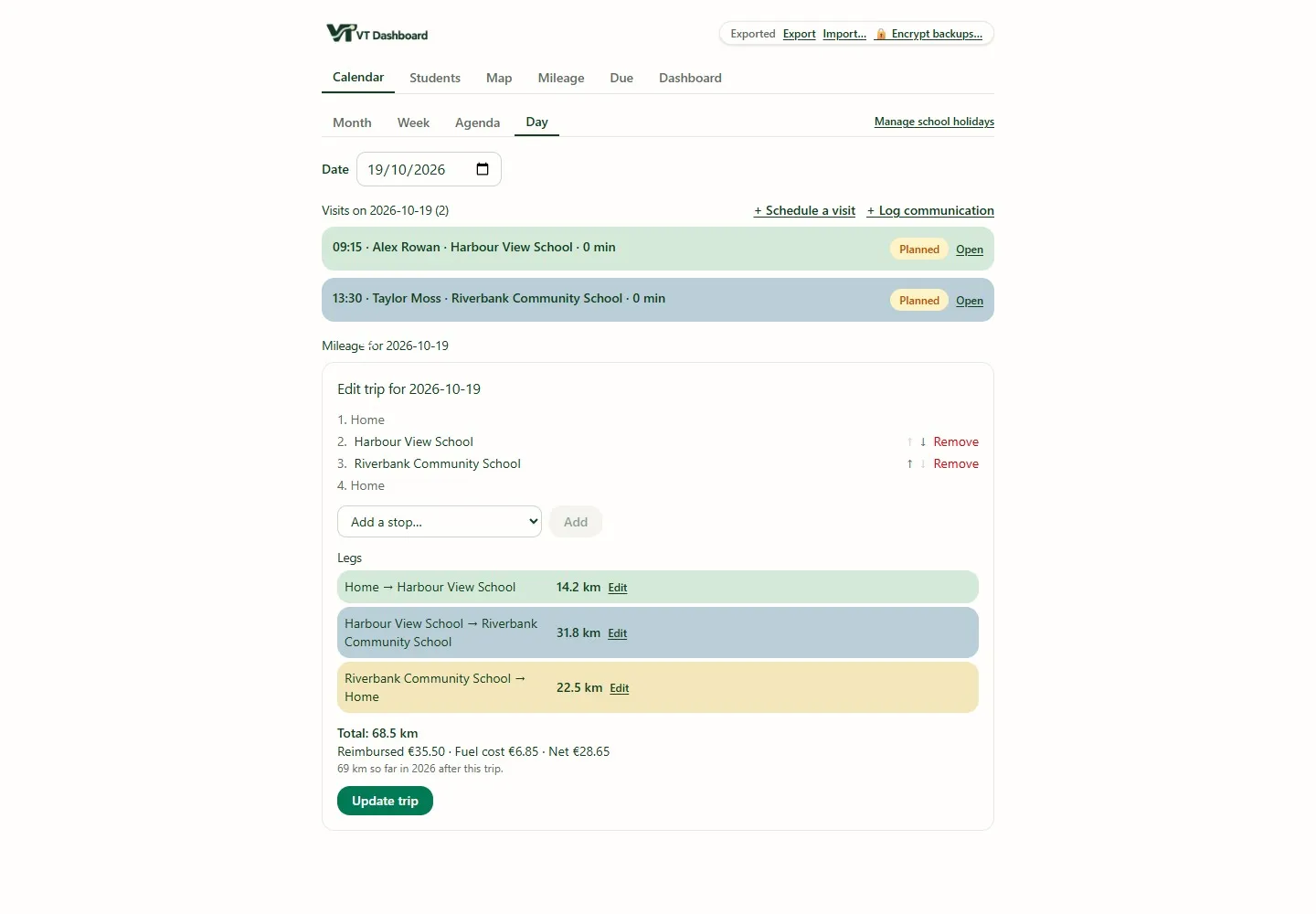
Selecting a day turns that calendar into an operational plan. Stops can be ordered, fixed times kept visible and each leg given a distance. Optional routing can help with the journey, but the route is not the record: the ordered stops and saved distances remain usable without a routing key.
A pupil record built around the next action
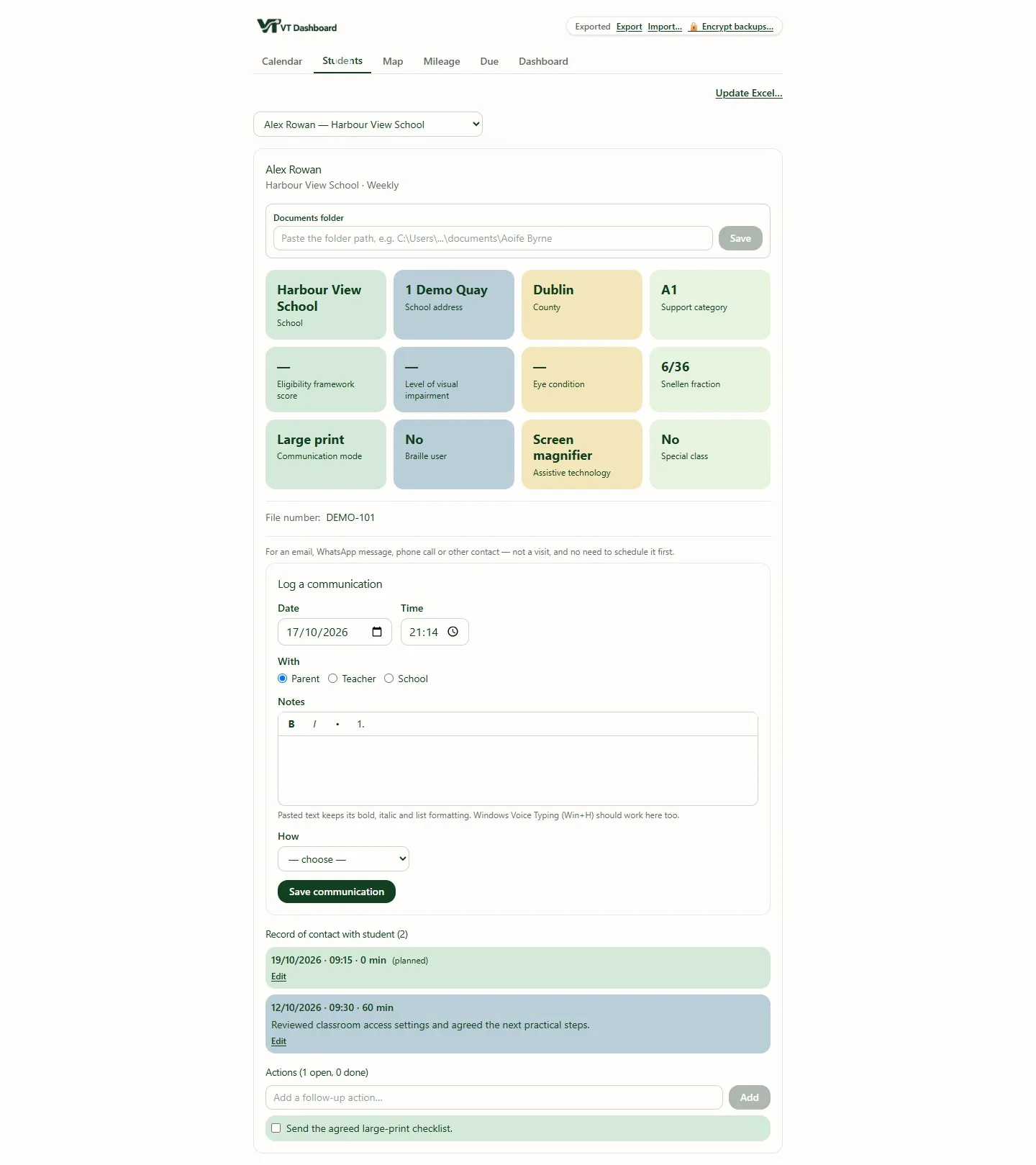
One screen shows the invented pupil’s school, contacts, support categories, interaction history, planned visits and open actions. It is a working summary, not a document-management system. A folder field points to the authoritative document location rather than copying documents into another store.
That distinction matters. The dashboard needs enough context to plan and record work, not a second uncontrolled repository of reports. Keeping the pointer explicit also makes it clearer what the JSON backup contains and what it does not.
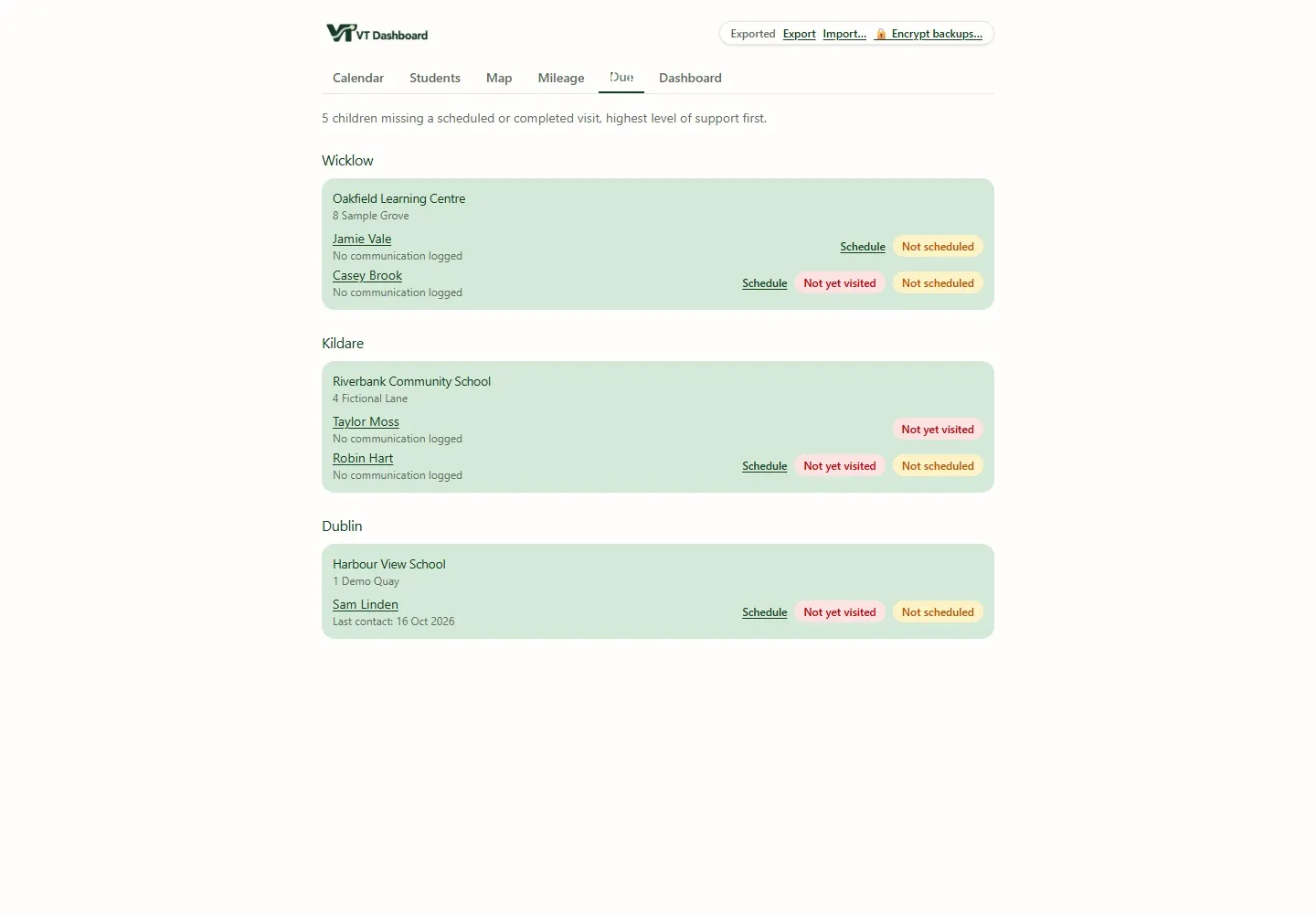
The Due list applies a simple rule and then organises the answer for the real world. Instead of one flat queue, it groups overdue pupils by county and school. That makes it possible to turn a backlog into a route: if two pupils at the same school are due, the relationship is visible before the diary is rearranged.
Mileage belongs to the visit
The demonstration day totals 68.5 kilometres across its ordered stops. Each leg is visible and the day can be saved as one trip. The application shows two deliberately separate numbers: reimbursement from banded rates, and a fuel-cost estimate from an editable cost per kilometre. One is a policy calculation; the other is a personal estimate.
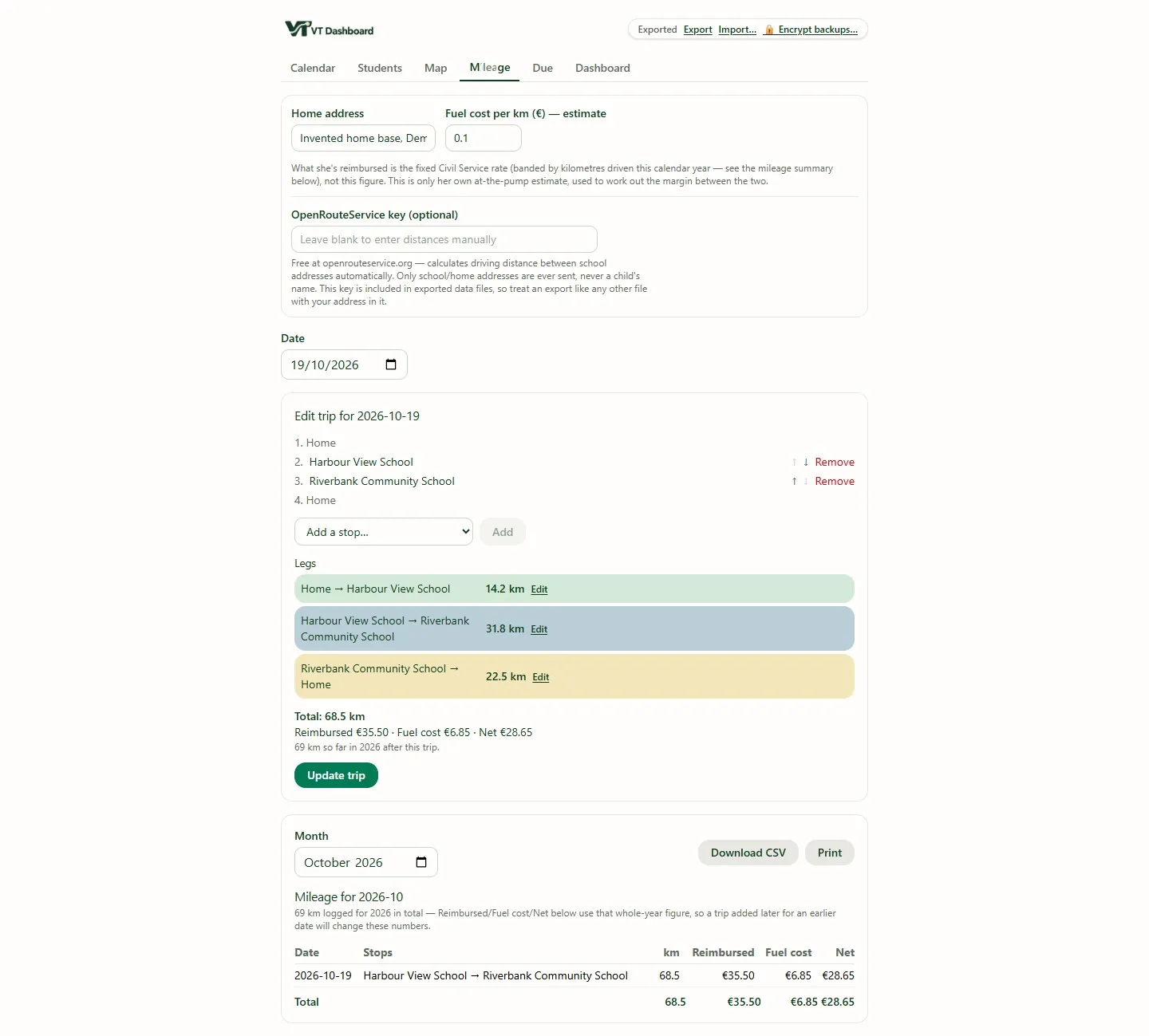
This is a small design choice with a large effect. Capturing the journey beside the visits makes the trip a by-product of planning rather than a month-end memory exercise.
The backup is the database
Build decision. The application had to work from
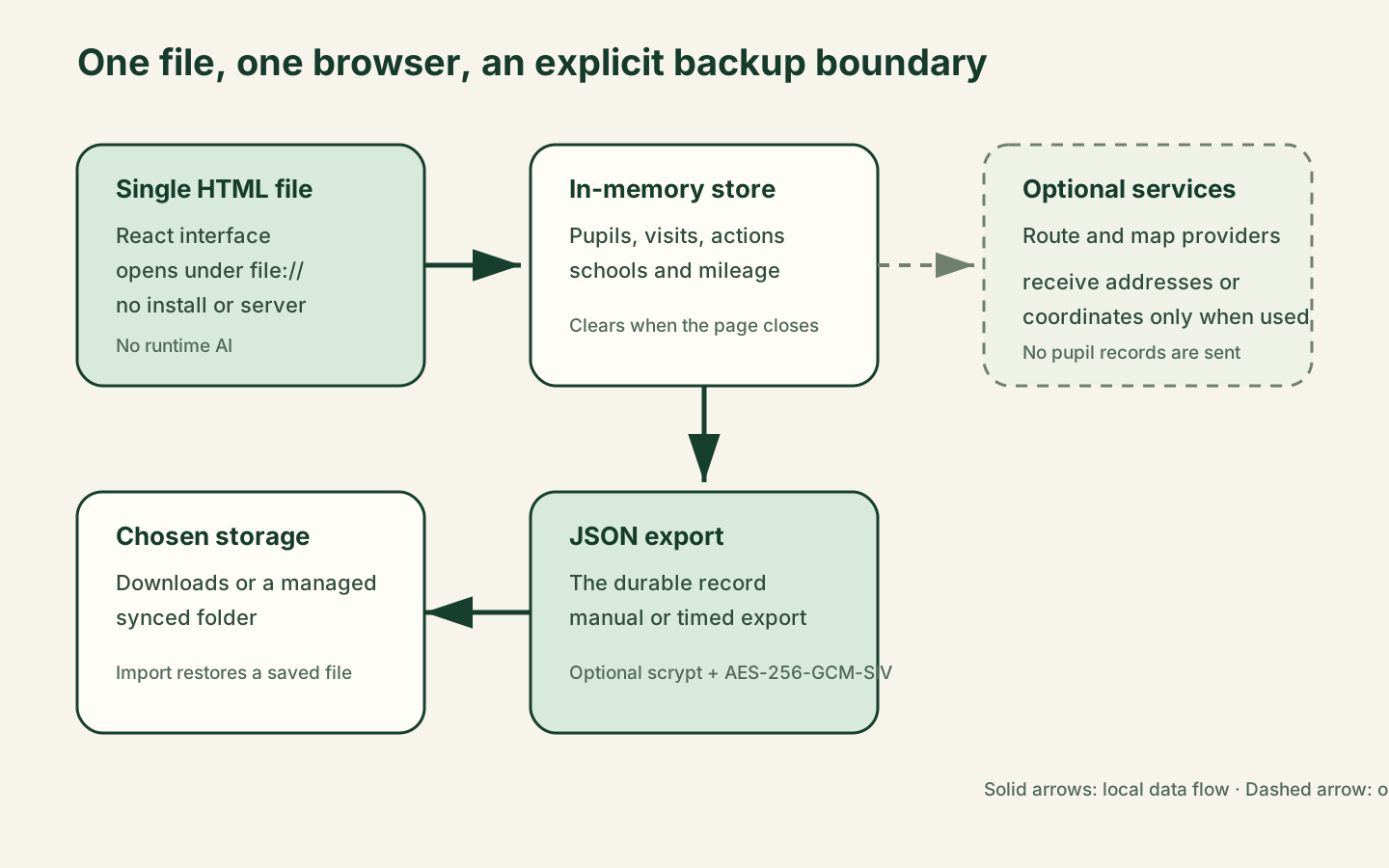
file://on a laptop with no installation rights. I rejected a local server and a cloud database. The running store lives in memory; the exported JSON file is the durable record.
That is why the operating procedure is part of the design. A visible dirty-state indicator appears after a change. The application schedules an automatic export after the store first becomes dirty, warns before a refresh or close when changes remain, records the last successful export and prompts when the saved copy is stale. Manual export remains available at all times.
The import path validates records instead of trusting a file, because an export can be old, hand-edited or damaged. The automated tests cover current round trips and older file shapes, so a new optional field does not make yesterday’s backup unreadable.
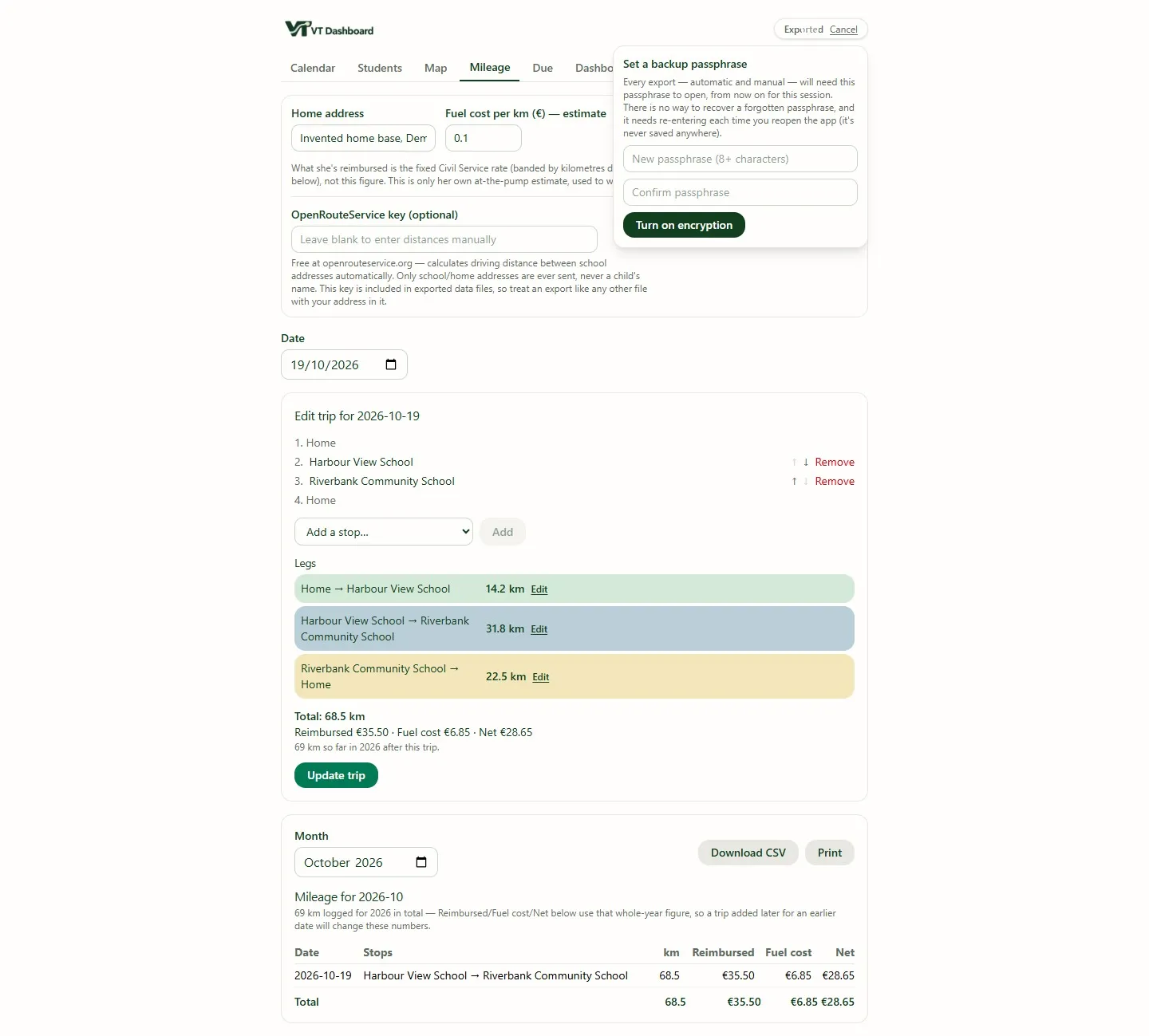
Optional encryption protects the exported file with a key derived from the passphrase using scrypt, then encrypts it with AES-256-GCM-SIV. If encryption is switched on and the key is unavailable, the application refuses to export rather than silently fall back to plain JSON, which is the right failure direction for a backup containing sensitive records.
A narrow data boundary
The source contains no account flow, database client, telemetry SDK or model call. Pupil records, interactions and actions remain in the browser store and the chosen export file.
Two optional features cross that boundary. Routing can send an address or coordinates to a route service, and the map can request tiles from a map provider. Those code paths do not send the pupil record. The API keys, if configured, are stored in application settings and therefore also appear in the JSON export, which is another reason to encrypt the saved file.
Under the hood
| Layer | What I used |
|---|---|
| Interface | React 19, TypeScript 7, Tailwind CSS 4, Leaflet 1.9 for maps |
| Build | Vite 8 with a custom final step that inlines JavaScript and CSS into one dist/index.html |
| Runtime | The browser, opened from file://; no server |
| Data | In-memory store with a validated JSON export as the durable record, optionally encrypted (scrypt and AES-256-GCM-SIV) |
| Integrations | Optional routing service and map tiles, using addresses or coordinates only |
| Runtime AI | None |
| Hardware | A locked-down work laptop with no installation rights |
| Tests | Vitest 4: 44 test files and 436 tests, including a check on what the final bundle may call |
The production build is exactly one file: dist/index.html, 993,583 bytes. Vite normally produces HTML plus separate JavaScript and CSS assets, which would make “copy this one file” an unreliable instruction, so a final step inlines the compiled JavaScript and CSS and checks the result. The output had no assets directory, module script or external asset reference.
The automated suite has 44 test files and 436 tests. They cover export and restore compatibility, due rules, date handling, mileage bands, route planning and an assurance check on what the final bundle is allowed to call.
The supply-chain boundary received the same treatment. Dependency versions are exact, the lockfile is committed, lifecycle scripts are strictly allowlisted and the project carries its npm operating baseline at the root.
The implementation grew around dates, older exports, duplicate roster imports, what counts as a visit, and the exact shape of the single-file bundle. I worked from a detailed product specification, a visual design brief and a handover document, and Claude Code was the tool that built it with me. The line between build-time AI and runtime AI is deliberate: a language model can accelerate implementation without becoming a processor of the case data, and once built the application does the same thing for the same inputs.
What it shows
Constraints can improve a design if they are made explicit early. “No installation” became a testable one-file build. “No server” made the backup procedure visible rather than pretending memory was durable. “Sensitive records” kept runtime AI out of scope and reduced optional network calls to narrow, named inputs. The useful control is the whole chain: a visible unsaved state, predictable export, validated restore, optional encryption and an operating procedure that somebody can actually follow. VT Dashboard shows that a sensitive caseload can be planned, recorded and reported from one file on an ordinary locked-down laptop, with no installation, no server and no AI near the case record.